


Creative Commons Images: How to Find Them
by Joe Essid, Writing Center Director
(printable version here)
A writer may go through an entire lifetime without getting a cease-and-desist order from a copyright holder. When one of my English students did, however, get one from a photographer for the New York Times, he had to pull down an image from an online project.
There is another way to share and share alike while respecting the intellectual property of others. Through a process called Creative-Commons licensing, one can grant permissions to share content with certain restrictions. Knowing how to find CC licensed images can save writers a great deal of time for class blogs and other multimedia projects.
Check licensing carefully; this entire site, for instance, is released with such a license but with the proviso that "non-commercial users may incorporate any pages needed into their classes, institutional resources, or publications provided that they either reproduce pages in their entirety or make a full citation if only a portion of a page is used." In other words, commercial users need to jump through a different hoop and no one may sell the content of Writer's Web.
How To @ Flickr:
This popular photo-sharing site gives users the ability to search only for CC-licensed images. To do so, click the search link and then select "advanced search" at the destination. A set of options will appear. Look for these:
A search for "University of Richmond," in Flickr with the Creative-Commons option selected yielded this artistically appealing shot of Westhampton Lake:
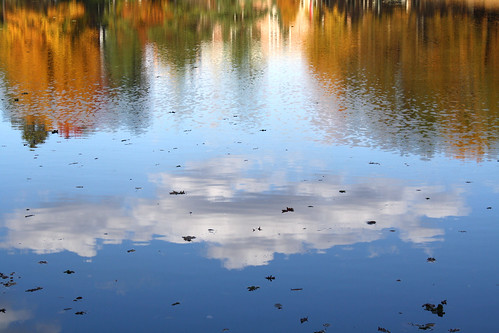
University of Richmond
image courtesy of eclecticlibrarian's photostream
How To @ Google Images:
At the Google image search page,which displays all the images related to your search, find the tool button at the top right of the screen, and click on it.
Then choose the option "advanced search" from the pull-down menu:
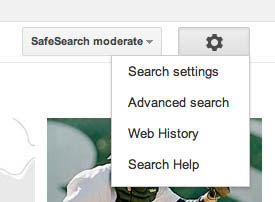
On the advanced search page, scroll to the bottom of the page to find the "usage rights" drop-down menu:

A Courtesy to Those Who Share Content
Those who give their content away deserve credit for their generosity. Thus it is good practice to thank them, with an image credit.
Back to 'Writing Online'
Writer's Web | Writing Center | Make
an Appointment | Library
Copyright Info